If you’ve ever dreamed of building a successful online business without managing a warehouse, packing boxes, or dealing with shipping logistics, Fulfillment by Amazon (FBA) might be exactly what you need. As one of the most powerful e-commerce tools in existence, FBA has helped hundreds of thousands of entrepreneurs launch and scale profitable businesses on Amazon’s massive marketplace.
This comprehensive guide covers everything you need to know about Amazon FBA, from how it works and what it costs, to tips for success, common mistakes to avoid, and whether it’s the right model for your business.
Table of Contents
- What is Fulfillment by Amazon (FBA)?
- How Does Amazon FBA Work?
- Amazon FBA Fees Explained
- Benefits of Selling with Amazon FBA
- Drawbacks and Challenges of FBA
- FBA vs. FBM: Which Is Right for You?
- How to Get Started with Amazon FBA
- Amazon FBA Best Practices & Tips for Success
- Common Amazon FBA Mistakes to Avoid
- Frequently Asked Questions
- Final Verdict: Is Amazon FBA Worth It?
What is Fulfillment by Amazon (FBA)?
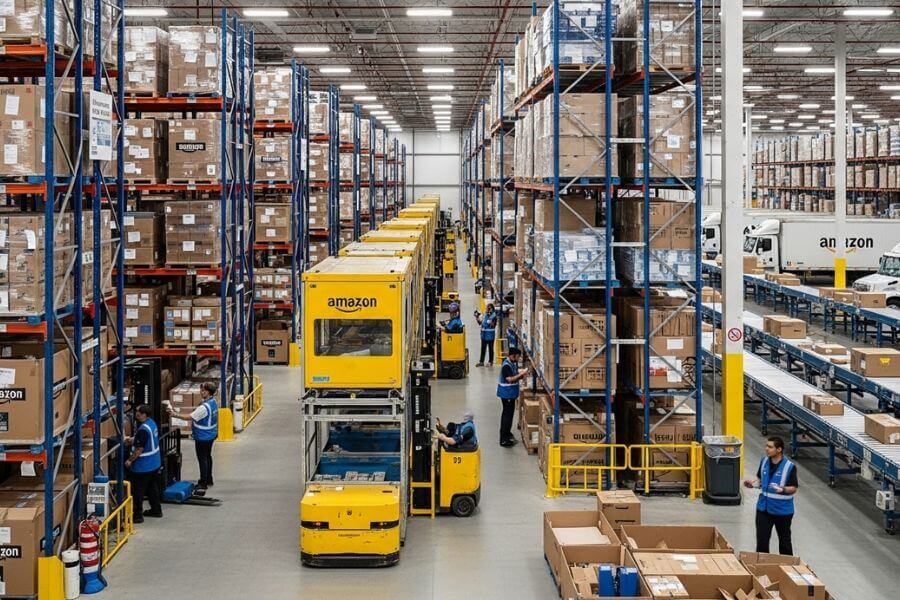
Fulfillment by Amazon (FBA) is a service offered by Amazon that allows third-party sellers to store their products in Amazon’s fulfillment centers. Once a customer places an order, Amazon picks, packs, ships, and handles customer service for those products all on the seller’s behalf.
Launched in 2006, FBA has grown into a cornerstone of Amazon’s marketplace ecosystem. It gives independent sellers access to Amazon’s world-class logistics infrastructure, which includes more than 200 fulfillment centers across the globe. In return, sellers pay Amazon a set of fees for storage and fulfillment.
Key Insight: As of 2024, over 60% of all products sold on Amazon come from third-party sellers, and a large majority of them use FBA to fulfill their orders.
How Does Amazon FBA Work?
Amazon FBA follows a straightforward process, though there are important details to understand at each stage:
Step 1: Create an Amazon Seller Account
Before you can use FBA, you need to sign up for an Amazon Seller Central account. Amazon offers two plans: Individual (pay-per-sale) and Professional ($39.99/month), with FBA available under both.
Step 2: List Your Products
You list your products in Amazon’s catalog, either creating new listings or joining existing ones. Your product listings must include accurate titles, descriptions, images, and relevant keywords to rank well in Amazon search results.
Step 3: Prepare and Ship Inventory to Amazon
You purchase and prepare your inventory according to Amazon’s packaging and labeling requirements, then ship it to one or more of Amazon’s designated fulfillment centers. Amazon may split your inventory across multiple warehouses to optimize delivery times.
Step 4: Amazon Stores Your Products
Once your inventory arrives, Amazon scans and stores your products in their fulfillment centers. You can monitor your inventory levels, sales velocity, and restocking needs through Seller Central.
Step 5: Customers Order Your Products
When a customer purchases your product, Amazon’s systems detect the order instantly and begin the fulfillment process. FBA products are eligible for Amazon Prime’s free two-day shipping, which dramatically increases conversion rates.
Step 6: Amazon Picks, Packs, and Ships
Amazon handles all picking, packing, and shipping, including choosing the most appropriate courier and generating tracking information. This all happens without any action required from the seller.
Step 7: Amazon Handles Returns and Customer Service
Returns and customer inquiries related to fulfillment are handled by Amazon’s customer service team. This is a major time-saver for sellers who would otherwise spend hours managing post-sale support.
Step 8: You Get Paid
Amazon deposits your earnings (minus fees) into your seller account every two weeks. You can then transfer these funds to your bank account.
Amazon FBA Fees Explained
Understanding FBA fees is critical to building a profitable business. There are two primary categories of fees to understand:
1. Fulfillment Fees (Per-Unit)
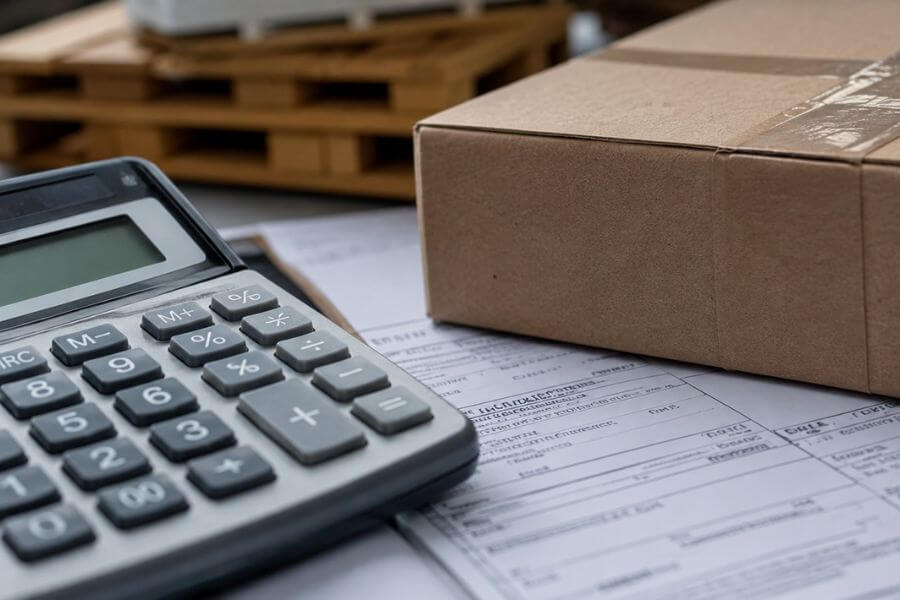
These are charged per item sold and cover picking, packing, shipping, and customer service. They are calculated based on the product’s size and weight. For example, a small standard-size item (under 1 lb) typically incurs a fulfillment fee starting around $3.22 per unit, while larger or heavier items cost significantly more.
2. Monthly Storage Fees
Amazon charges monthly storage fees based on the volume (cubic feet) your products occupy in their fulfillment centers. Standard rates are lower from January through September and increase significantly during the peak holiday season (October–December). Long-term storage fees apply to inventory stored longer than 365 days, so it’s essential to manage stock levels carefully.
3. Other Potential Fees
- Referral fees: Amazon charges a percentage of each sale (typically 8–15%) as a referral fee for every product category.
- Returns processing fees: Charged when Amazon processes a customer return for certain product categories.
- Removal or disposal fees: If you want Amazon to return or dispose of your unsold inventory.
- Labeling fees: If you opt for Amazon to apply product labels on your behalf.
Pro Tip: Use Amazon’s FBA Revenue Calculator (available in Seller Central) to estimate your exact fees before sending inventory. Always calculate your landed cost, Amazon fees, and desired profit margin before sourcing a product.
Benefits of Selling with Amazon FBA
Amazon FBA offers a compelling set of advantages that make it attractive to entrepreneurs at every stage:
- Prime Eligibility: FBA products automatically qualify for Amazon Prime, giving your listings the coveted Prime badge. Prime members spend significantly more on Amazon and are more likely to purchase Prime-eligible products.
- Built-in Trust: Amazon’s fulfillment guarantee reassures customers. They know their package will arrive on time and returns will be handled; this trust translates into higher conversion rates.
- Time Freedom: Because Amazon handles logistics and customer service, FBA sellers can focus on growing their business: sourcing new products, optimizing listings, and running marketing campaigns.
- Scalability: Whether you’re selling 10 units per month or 10,000, Amazon’s infrastructure scales with you. You don’t need to hire warehouse staff or upgrade your space as your business grows.
- Multi-channel Fulfillment: Amazon can fulfill orders from your own website or other platforms (like Shopify or Walmart) using your FBA inventory through its Multi-Channel Fulfillment (MCF) service.
- Buy Box Advantage: FBA sellers are generally given preference when competing for the Amazon Buy Box, the purchase button on product listings, which drives the vast majority of sales.
- Global Reach: Through Amazon’s Global Selling and FBA Export programs, you can reach customers in dozens of countries without setting up separate international operations.
Drawbacks and Challenges of FBA
FBA is not without its challenges. Being aware of these potential pitfalls will help you navigate them more effectively:
- Fees Can Erode Margins: FBA fees add up quickly, especially for low-cost or heavy/bulky products. Some product categories simply don’t have sufficient margins to make FBA profitable.
- Inventory Management Complexity: Overstocking leads to high storage fees; understocking leads to lost sales and ranking penalties. Maintaining the right inventory levels requires constant monitoring.
- Loss of Control: Because Amazon handles fulfillment, you have less control over packaging, branding, and the unboxing experience. You can’t include personalized inserts or custom packaging.
- Account Suspension Risk: Amazon can suspend seller accounts for policy violations, including stranded inventory, fake reviews, or intellectual property complaints. A suspension can halt your business overnight.
- Commingling Issues: Amazon may mix your inventory with other sellers’ identical products (commingling), which can occasionally lead to counterfeit products being sent to your customers.
- Increasing Competition: As FBA has grown in popularity, competition for profitable products has intensified. Finding underserved niches with healthy margins is harder than it was five years ago.
FBA vs. FBM: Which Is Right for You?
Fulfillment by Merchant (FBM) is the alternative to FBA, where sellers handle all storage, packing, shipping, and customer service themselves. Each model has its place:
| Factor | FBA | FBM |
| Fulfillment | Amazon handles all logistics | Seller handles all logistics |
| Prime Eligibility | Automatic | Only via Seller Fulfilled Prime (strict) |
| Fees | FBA + referral fees | Only referral fees (+ own shipping) |
| Control | Limited over packaging/branding | Full control |
| Scalability | Highly scalable | Requires infrastructure investment |
| Best For | High-volume, standard-size products | Custom, large, or niche products |
Many experienced Amazon sellers use a hybrid approach, FBA for fast-moving, standard-size items and FBM for slower-moving, oversized, or highly customized products.
How to Get Started with Amazon FBA
Ready to launch your Amazon FBA business? Here’s a step-by-step roadmap:
- Step 1 – Create Your Seller Account: Go to sell.amazon.com and register as a Professional Seller (recommended for FBA). You’ll need business information, bank account details, and a government ID.
- Step 2 – Choose Your Business Model: The most popular FBA models are Private Label (creating your own brand), Wholesale (buying branded products in bulk), Retail Arbitrage (reselling discounted retail products), and Online Arbitrage (similar but sourced online).
- Step 3 – Conduct Product Research: Use tools like Jungle Scout, Helium 10, or AMZScout to find products with strong demand, manageable competition, and sufficient profit margins. Look for items with a Best Seller Rank (BSR) under 100,000 in their main category.
- Step 4 – Source Your Products: Find reliable suppliers, typically manufacturers or wholesalers in China (via Alibaba), the US, or locally. Order samples before committing to a large purchase order.
- Step 5 – Create Optimized Listings: Your listing is your storefront. Write keyword-rich titles, compelling bullet points, and detailed product descriptions. Invest in high-quality photography; images are often the single biggest factor in conversion rates.
- Step 6 – Ship Inventory to Amazon: Create an FBA shipment in Seller Central, print Amazon’s required labels, and ship your products to the designated fulfillment centers.
- Step 7 – Launch and Promote: Use Amazon PPC (Pay-Per-Click) advertising to drive initial traffic and gather reviews. Early reviews are critical; consider enrolling in Amazon’s Early Reviewer Program or Vine program.
Amazon FBA Best Practices & Tips for Success
Separating successful FBA sellers from those who struggle often comes down to execution and strategy. Here are proven best practices:
- Focus on Product Quality: The fastest way to tank an Amazon listing is to sell a poor-quality product. Reviews are everything on Amazon so protect your reputation fiercely.
- Master Keyword Research: Amazon is a search engine. Use tools like Helium 10’s Cerebro or Magnet to identify the exact keywords your target customers are searching for, and incorporate them naturally into your listings.
- Optimize for Mobile: More than 60% of Amazon purchases happen on mobile devices. Preview your listings on a smartphone and ensure your images and bullet points are compelling on small screens.
- Monitor Your Inventory Closely: Set up inventory alerts and reorder points. Running out of stock causes your listing to lose ranking, which can take weeks or months to recover from.
- Track All Your Metrics: Monitor your ACoS (Advertising Cost of Sale), conversion rate, session count, and BSR regularly. Data-driven decisions are the foundation of a sustainable FBA business.
- Build an External Traffic Strategy: Driving traffic to your Amazon listings from social media, email lists, or influencer partnerships signals relevance to Amazon’s algorithm and can dramatically boost your rankings.
- Enroll in Amazon Brand Registry: If you have your own brand, register it with Amazon’s Brand Registry. This unlocks powerful tools like A+ Content, Brand Analytics, and enhanced protection against counterfeiters.
Common Amazon FBA Mistakes to Avoid
Learning from others’ mistakes can save you thousands of dollars and months of frustration:
- Ignoring Unit Economics: Always calculate your complete cost structure before sourcing a product: COGS + shipping to Amazon + FBA fees + PPC costs + returns. If the math doesn’t work, move on.
- Underestimating Lead Times: Especially when sourcing from overseas, production and shipping can take 45–90 days. Stock-outs due to poor planning are one of the most common (and costly) FBA mistakes.
- Neglecting Listing Optimization: Launching with a mediocre listing and hoping for the best is a recipe for failure. Your listing needs to be excellent before you invest in advertising.
- Picking Products Based on Passion Alone: Selling something you love is great, but the market has to validate your enthusiasm. Let data guide your product selection, not emotion.
- Ignoring Policy Changes: Amazon frequently updates its seller policies, fee structures, and content guidelines. Subscribe to official Amazon seller newsletters and stay active in seller communities to stay informed.
- Skipping the Inspection Step: Always conduct a quality inspection (especially for overseas manufacturers) before your inventory ships to Amazon. Finding defects after products are in Amazon’s warehouse is a logistical nightmare.
Frequently Asked Questions About Amazon FBA
How much money do I need to start Amazon FBA?
Most successful FBA sellers start with between $2,000 and $5,000, which covers inventory, product photography, listing optimization, initial advertising spend, and the Professional seller plan. It’s possible to start with less, but a tighter budget limits your options.
How long does it take to become profitable with FBA?
Results vary widely, but most sellers who do their homework see their first profits within 3–6 months. Building a sustainable, significant income typically takes 1–2 years of consistent effort.
Do I need a business license to sell on Amazon FBA?
Requirements vary by location, but in the US, most FBA sellers operate as sole proprietors initially and later register an LLC for liability protection and tax advantages. It’s always advisable to consult an accountant or attorney for your specific situation.
Can I sell internationally with FBA?
Yes. Amazon’s FBA Export program automatically makes eligible products available to international customers at no extra cost. For more targeted international expansion, Amazon offers FBA in the EU, Japan, Canada, Australia, and other regions with separate marketplaces.
What is the Amazon FBA age requirement?
You must be at least 18 years old to open an Amazon Seller account and use FBA.
Final Verdict: Is Amazon FBA Worth It in 2025?
The short answer: yes, but with important caveats. Amazon FBA remains one of the most accessible and scalable e-commerce business models available today. The combination of Amazon’s unmatched customer base, Prime’s logistics power, and the relatively low barrier to entry makes it a compelling opportunity for entrepreneurs at every experience level.
However, FBA is not a passive income machine or a get-rich-quick scheme. The sellers who build durable, profitable businesses are those who treat it like a real business: researching products meticulously, optimizing every element of their listings, managing their finances rigorously, and continuously adapting to Amazon’s evolving marketplace.
If you’re willing to invest the time, capital, and effort required to do it right, Amazon FBA can be a genuinely life-changing business opportunity. The key is to go in with realistic expectations, a solid strategy, and the patience to build something sustainable.